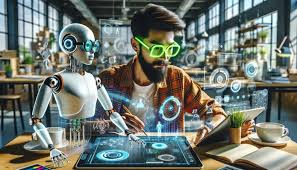

Artificial intelligence is reshaping the creative industry at an incredible pace. What was once limited to manual work—like photo editing, logo creation, or layout design—can now be accelerated or even automated by AI. For designers, this shift is not about replacing creativity, but about enhancing workflows. Let’s explore what the future of AI-powered design tools looks like in 2025 and beyond.
1. Smarter Image Editing
AI tools are making photo editing faster and more intuitive.
Automatic background removal (e.g., remove.bg, Canva).
AI retouching for skin, lighting, and color adjustments.
Generative fill (Adobe Photoshop) that lets you add or remove objects seamlessly.
👉 In the future, expect AI to suggest edits automatically based on design context.
2. Generative Art and Illustrations
AI image generators like DALL·E, MidJourney, and Stable Diffusion are giving designers access to unique illustrations and art styles on demand.
Instead of spending hours sketching, designers can generate multiple concepts in minutes, then refine or remix them.
3. Automated Layouts and Branding
AI is also entering the world of branding and marketing. Platforms such as Looka or Brandmark can instantly generate logos, business cards, and brand kits.
While these are not replacements for professional branding, they provide a starting point—especially for startups and small businesses.
4. AI in UI/UX Design
Figma and other platforms are beginning to integrate AI features that:
Suggest layout improvements.
Generate wireframes from text prompts.
Predict user interactions through machine learning.
This could mean less time spent on repetitive design tasks and more focus on strategy.
5. Personalized Content Creation
AI tools can adapt designs based on audience data. For example, marketing campaigns can automatically adjust color schemes, fonts, or layouts depending on user preferences.
Imagine an e-commerce site where banners are redesigned in real time to match each customer’s taste.
6. Voice and Natural Language Commands
Instead of learning complex shortcuts, designers will increasingly use text or voice commands to tell AI what to do:
“Generate a poster in retro style.”
“Resize this for Instagram and TikTok.”
“Make the background blue with a gradient.”
This lowers the barrier for non-designers while speeding up professional workflows.
7. Ethical Considerations
With great power comes responsibility. Designers must consider issues like:
Copyright: Who owns AI-generated work?
Bias: Does the AI reflect diverse perspectives?
Job impact: Will AI replace junior designers, or create new roles?
Forward-thinking designers will embrace AI as a collaborator, not a competitor.
Conclusion
The future of design is AI-assisted, not AI-replaced. Tools will become smarter, faster, and more creative—but the human touch will always be needed for storytelling, strategy, and emotional connection. Designers who learn to integrate AI into their workflow will not only save time but also unlock new creative possibilities that were once unimaginable.