The Psychology of Colors in Design

Color is one of the most powerful tools in a designer’s toolkit. It shapes emotions, influences decisions, and creates associations that can strengthen a brand’s identity. Understanding the psychology of colors helps designers craft visuals that resonate deeply with their audience.


1. Why Color Psychology Matters

Research shows that people make subconscious judgments within seconds of seeing a design—and color plays a major role. The right palette can communicate trust, excitement, or calm, while the wrong one can create confusion or negative emotions.


2. The Meaning of Common Colors

  • Red – Energy, passion, urgency. Often used for sales or to grab attention.

  • Blue – Trust, stability, calm. Popular in finance, healthcare, and tech.

  • Yellow – Optimism, warmth, friendliness. Works well in food and lifestyle branding.

  • Green – Growth, health, nature. Common in eco-friendly and wellness industries.

  • Purple – Luxury, creativity, spirituality. Often linked with premium or artistic brands.

  • Black – Power, elegance, sophistication. Used in fashion and luxury branding.

  • White – Purity, simplicity, cleanliness. A foundation for minimalism.

  • Orange – Playfulness, enthusiasm, affordability. Great for youth-oriented brands.


3. Cultural Differences in Color

Colors don’t mean the same thing everywhere. For example:

  • White = purity in Western cultures but mourning in some Asian traditions.

  • Red = luck in China but warning or danger in Western contexts.

👉 Always research cultural context when designing for global audiences.


4. Color Combinations and Harmony

Beyond individual colors, combinations matter:

  • Complementary colors (opposites on the color wheel) create strong contrast.

  • Analogous colors (side-by-side) create harmony and calm.

  • Monochromatic schemes rely on one hue with different shades for simplicity.


5. Using Color to Guide Attention

Designers use color to create hierarchy and focus. For example:

  • A bright accent color on a call-to-action button draws the eye.

  • Muted backgrounds ensure text stands out clearly.


6. Brand Identity and Color Consistency

Brands often “own” colors:

  • Coca-Cola = red

  • Facebook = blue

  • McDonald’s = yellow + red

Consistent use of color across touchpoints builds recognition and trust.


7. Accessibility in Color Use

Not everyone perceives color the same way. Designers must ensure sufficient contrast for readability and consider colorblind-friendly palettes to make designs inclusive.


8. Emotional Impact of Gradients & Trends

Gradients, duotones, and neon effects are popular because they feel modern and dynamic. They also add emotional complexity compared to flat colors.


Conclusion

The psychology of colors is about more than aesthetics—it’s about communication. By choosing colors strategically, designers can evoke emotions, guide attention, and strengthen brand identity. Whether you’re building a logo, a website, or an ad campaign, remember: every color choice sends a message.
Trends in Graphic Design for 2025

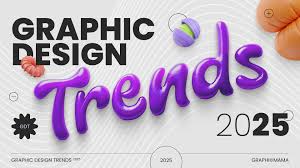
Graphic design is constantly evolving. Each year brings fresh styles, technologies, and cultural influences that shape the way brands communicate visually. As we step into 2025, several trends are emerging that reflect not only aesthetics but also shifts in technology and society. Here are the top graphic design trends to watch this year.


1. AI-Assisted Creativity

Artificial intelligence is no longer just a buzzword—it’s becoming an everyday design tool. AI helps generate layouts, suggest color palettes, and even create custom illustrations. Designers are learning to collaborate with AI to save time while still adding human creativity.


2. Bold Typography Experiments

Typography is getting louder and more experimental. Expect to see:

  • Oversized headlines that dominate layouts.

  • Kinetic type (animated text) in digital platforms.

  • Custom typefaces designed exclusively for brands.


3. Minimalism with Personality

Minimalism remains strong, but with playful twists. Designers are adding hand-drawn elements, vibrant accent colors, or unexpected textures to make minimal layouts more approachable and unique.


4. 3D and Immersive Design

Advances in rendering tools have made 3D graphics more accessible. Logos, icons, and illustrations are gaining depth and realism. Combined with AR and VR experiences, 3D design will continue to grow.


5. Sustainability-Inspired Visuals

As eco-consciousness rises, brands are adopting earthy tones, organic shapes, and recycled textures to communicate sustainability. Design is becoming a way to show environmental responsibility.


6. Retro Meets Futurism

Designers are blending nostalgic aesthetics from the 70s, 80s, and 90s with futuristic visuals. Think neon gradients, pixel art, and holographic effects combined with modern layouts.


7. Dark Mode Friendly Design

With dark mode now standard across apps and websites, designs are adapting. Expect glowing accents, neon outlines, and high-contrast palettes tailored for dark backgrounds.


8. Motion Graphics Everywhere

Static visuals are losing ground to motion. From animated logos to short video ads, motion design is becoming essential for social media and digital platforms.


9. Inclusive & Diverse Design

Representation matters. Designers are increasingly creating visuals that reflect diverse cultures, genders, and abilities. Stock photo sites and illustration packs are also expanding inclusivity.


10. Custom Illustration Styles

Generic stock imagery is fading. Brands are investing in custom illustration styles that make them instantly recognizable and different from competitors.


Conclusion

The graphic design trends of 2025 highlight a balance between technology and human creativity. AI and 3D tools are pushing boundaries, while sustainability and inclusivity keep design grounded in real-world values. For designers, staying aware of these shifts isn’t just about following trends—it’s about creating work that feels fresh, relevant, and impactful.

Designing for Print vs. Digital: Key Differences

Graphic designers today often work across both print and digital mediums. While the principles of good design apply everywhere, the two formats have very different requirements. Understanding these differences is essential to avoid costly mistakes and to ensure that your work looks as good on paper as it does on screen.


1. Color Modes

  • Print uses CMYK (Cyan, Magenta, Yellow, Black) color mode. Printers mix inks to create colors.

  • Digital uses RGB (Red, Green, Blue). Screens emit light, which makes colors appear more vibrant.

👉 Tip: Always set the correct color mode before starting a project to avoid unexpected results.


2. Resolution

  • Print requires high resolution, usually 300 DPI (dots per inch) for sharp images.

  • Digital typically uses 72–150 PPI (pixels per inch) since screens don’t need as much detail.

👉 Example: A 1000px wide image may look fine on a website but blurry when printed.


3. Typography

  • In print, small details in fonts remain sharp, allowing for elegant serifs and fine strokes.

  • On screens, readability is key. Fonts must be web-safe and optimized for clarity on different devices.

👉 Tip: Always test body text on multiple screens to ensure readability.


4. Layout & Dimensions

  • Print works with fixed sizes (A4, posters, business cards, etc.). Once printed, they can’t be changed.

  • Digital designs must adapt to different devices (desktop, tablet, mobile). Responsive design is critical.


5. File Formats

  • Print often requires PDF, TIFF, or EPS for quality and compatibility with printers.

  • Digital uses JPEG, PNG, SVG, or GIF, optimized for fast loading.


6. Interactivity

  • Print is static. Designers rely on visuals, texture, and materials to engage users.

  • Digital is interactive. Buttons, animations, and hover effects add depth to the experience.


7. Costs & Flexibility

  • Printing involves higher costs (ink, paper, production). Mistakes mean reprints.

  • Digital design is flexible and cost-effective. Changes can be made instantly at little to no cost.


8. Accessibility

  • Print accessibility depends on typography size, contrast, and paper choice.

  • Digital design must also consider screen readers, alt text, and responsive layouts to reach broader audiences.


9. Distribution

  • Print is physical and local, requiring shipping or handouts.

  • Digital reaches global audiences instantly via websites, apps, and social media.


10. Hybrid Design

Many modern campaigns combine both print and digital:

  • Posters with QR codes linking to websites.

  • Magazines with AR (augmented reality) experiences.

  • Business cards that also have digital NFC links.


Conclusion

Designing for print and digital may share creative roots, but their technical demands are vastly different. Print requires precision, permanence, and high resolution, while digital emphasizes flexibility, interactivity, and speed. By mastering both, designers can deliver seamless brand experiences across every touchpoint.

How to Use Grid Systems Effectively

Grid systems are the invisible backbone of many successful designs. From magazines to websites, grids provide structure, balance, and consistency. While they may seem restrictive at first, grids actually give designers the freedom to experiment within an organized framework. Here’s how to use grid systems effectively in graphic design.


1. What Is a Grid System?

A grid is a series of intersecting lines (vertical and horizontal) that divide a layout into structured sections. Designers use grids to align text, images, and elements so everything feels balanced and intentional.

👉 Think of it as the skeleton of your design.


2. Why Grids Matter

  • Consistency – Keeps design elements uniform across pages and platforms.

  • Readability – Aligns text for easier reading.

  • Efficiency – Speeds up design decisions with a framework.

  • Flexibility – Allows experimentation while keeping order.


3. Common Types of Grids

  1. Manuscript Grid – A single column, ideal for books or long text blocks.

  2. Column Grid – Multiple columns, used in magazines and websites.

  3. Modular Grid – Columns and rows, perfect for dashboards or complex layouts.

  4. Hierarchical Grid – Irregular structure, guided by content rather than strict lines.


4. Setting Up a Grid

  • Margins – Define breathing space around content.

  • Columns – Divide space vertically for text and images.

  • Gutters – Spaces between columns that prevent crowding.

  • Baseline Grid – Aligns text across multiple columns for consistency.


5. Grids in Print Design

In magazines and newspapers, grids help organize dense information while maintaining readability. They also give designers flexibility to vary layouts without losing coherence.


6. Grids in Web & UI Design

Web designers rely on 12-column grids (Bootstrap standard) for responsive layouts. Grids ensure that websites look good on desktops, tablets, and mobile devices.

👉 Example: A 12-column grid allows a layout to shift from 4 columns on desktop to 1 column on mobile.


7. Breaking the Grid

Once you master grids, you can break them intentionally to create emphasis. For example:

  • Placing an image across multiple columns.

  • Allowing text to extend beyond margins for dramatic effect.

👉 Rule: Break grids with purpose, not by accident.


8. Tools for Grid Design

  • Adobe InDesign – Industry standard for print grids.

  • Figma / Sketch – Easy-to-apply grid overlays for UI design.

  • Canva – Simple grids for quick layouts.


9. Common Mistakes to Avoid

  • Overcomplicating grids with too many columns.

  • Ignoring gutters, leading to cramped layouts.

  • Misaligning elements and breaking the flow.


10. Grids + Creativity

Remember, grids don’t kill creativity—they enhance it. Think of them as the rules of rhythm in music: once you have structure, you can improvise freely without losing harmony.


Conclusion

Grid systems are essential tools for both print and digital design. By mastering grids, you’ll create layouts that are clean, consistent, and professional. And once you understand the rules, you’ll also know how—and when—to break them for maximum impact.

The Importance of White Space in Design

In graphic design, many beginners make the mistake of filling every inch of a layout with text, images, or colors. But sometimes, what you leave out is just as important as what you include. This is where white space, also known as negative space, comes in. Far from being “empty,” white space is a powerful tool that brings clarity, elegance, and focus to a design.


1. What Is White Space?

White space refers to the areas of a design that are left unmarked—the gaps between text, images, and other elements. It doesn’t have to be white; it can be any background color, texture, or pattern.

👉 Example: Google’s homepage uses abundant white space to highlight the search bar.


2. Why White Space Matters

  • Improves Readability – Adequate spacing between lines and paragraphs makes text easier to read.

  • Creates Focus – By reducing clutter, white space directs the viewer’s eye to the most important content.

  • Adds Elegance – Luxury brands often use white space to convey sophistication and minimalism.

  • Balances Layouts – Prevents designs from looking overwhelming or chaotic.


3. Types of White Space

  1. Micro White Space – Small gaps like line spacing, letter spacing (kerning), or margins around buttons.

  2. Macro White Space – Larger empty areas, such as margins around an entire layout or space between major sections.

Both types are essential for structure and visual flow.


4. White Space in Typography

Good typography relies on spacing:

  • Adequate leading makes long text blocks more digestible.

  • Proper kerning ensures letters don’t appear cramped or disconnected.

  • Margins around text blocks prevent a “wall of text” effect.


5. White Space in Branding

Brands like Apple and Chanel use generous white space in advertising to highlight their products. The empty areas make the product the hero, creating a sense of exclusivity and luxury.


6. White Space in Digital Design

In web and app design, white space improves user experience by:

  • Making navigation intuitive.

  • Highlighting CTAs (call-to-action buttons).

  • Giving breathing room on mobile screens.

👉 Example: Airbnb’s app uses clear spacing to guide users smoothly through booking steps.


7. Avoiding Common Mistakes

  • Too little white space → Cluttered, overwhelming, hard to read.

  • Too much white space → Risk of looking empty or unfinished.

  • Inconsistent spacing → Breaks visual flow and looks unprofessional.


8. White Space as Active Design

Remember: white space isn’t passive. It creates rhythm, hierarchy, and emphasis. Think of it as the pause in music that makes the notes more powerful.


Conclusion

White space is not wasted space—it’s a critical element of graphic design. By using it wisely, you can create designs that are clean, readable, and elegant. Whether in branding, web design, or print, mastering white space is one of the most effective ways to elevate your work from amateur to professional.

How to Create a Strong Visual Identity

A brand’s visual identity is more than a logo—it’s the entire system of colors, typography, imagery, and design elements that make a business recognizable. A strong visual identity helps companies stand out in crowded markets and builds trust with audiences. Here’s a step-by-step guide on how to create one.


1. Start with Brand Strategy

Before design begins, clarify the brand’s mission, values, and audience.

  • Who are you speaking to?

  • What emotions should the brand evoke?

  • What differentiates you from competitors?

👉 Strategy ensures visuals are aligned with the brand’s story, not just aesthetics.


2. Design a Memorable Logo

The logo is the cornerstone of visual identity. Great logos are:

  • Simple – Easy to recognize at any size.

  • Versatile – Works in color, black-and-white, and on different backgrounds.

  • Timeless – Avoid overly trendy designs that age quickly.


3. Choose a Cohesive Color Palette

Color influences perception. Select a primary palette (2–3 core colors) and a secondary palette (supporting shades).

  • Use psychology: Blue = trust, Green = growth, Red = energy.

  • Ensure enough contrast for accessibility.


4. Establish Typography Rules

Typography should reflect brand personality. For example:

  • A luxury brand may use elegant serifs.

  • A modern tech company may prefer clean sans-serifs.

  • Consistency is key—limit fonts to 2–3 families.


5. Define Imagery and Illustration Styles

Decide whether to use photography, custom illustrations, or a mix. Imagery should feel consistent across websites, ads, and packaging.
👉 Example: Airbnb’s photography emphasizes authenticity and community.


6. Create Iconography & Graphic Elements

Custom icons, shapes, or patterns add uniqueness. When used consistently, they strengthen recognition across touchpoints.


7. Build a Design System

A design system or brand style guide documents all visual rules. It includes:

  • Logo usage

  • Colors and hex codes

  • Typography hierarchy

  • Iconography

  • Layout grids
    👉 This ensures consistency across all platforms.


8. Apply Across All Touchpoints

Your visual identity should appear everywhere—website, social media, packaging, business cards, presentations, and even office spaces. Consistency builds trust.


9. Evolve Without Losing Core Identity

Strong visual identities adapt over time. Brands like Apple and Nike refresh their look periodically but keep core elements intact.


10. Test with Your Audience

Finally, test your identity with real users. Ask:

  • Is it recognizable?

  • Does it evoke the intended feeling?

  • Is it flexible across different mediums?


Conclusion

A strong visual identity is the bridge between a brand and its audience. By carefully designing logos, colors, typography, and systems—and applying them consistently—you create a visual language that builds recognition, trust, and loyalty. In today’s competitive market, a strong identity isn’t optional—it’s essential.

Typography in Graphic Design: Best Practices

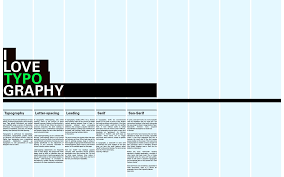
Typography is more than choosing a pretty font—it’s the art of arranging text so it’s not only readable but also visually engaging. In graphic design, typography sets the tone, guides the viewer’s eye, and strengthens brand identity. Let’s explore the best practices for using typography effectively.


1. Understand Typeface Categories

  • Serif fonts – Traditional, elegant, and authoritative (e.g., Times New Roman).

  • Sans-serif fonts – Clean, modern, and minimal (e.g., Helvetica, Arial).

  • Script fonts – Decorative, expressive, and formal (e.g., wedding invitations).

  • Display fonts – Bold, unique, for headlines only (e.g., posters, ads).

👉 Rule: Match the typeface with the project’s purpose and personality.


2. Prioritize Readability

No matter how stylish, text must be easy to read. Consider:

  • Adequate font size (14–16px for body text online).

  • Sufficient line spacing (leading) for breathing room.

  • Clear contrast between text and background.


3. Limit Font Choices

Too many fonts create chaos. Stick to two or three maximum:

  • One for headings.

  • One for body text.

  • Optional accent font for emphasis.


4. Create Visual Hierarchy

Hierarchy directs the reader’s attention. Use:

  • Size (big headlines, smaller subtext).

  • Weight (bold vs. regular).

  • Color (contrasting tones for emphasis).

👉 Example: A poster headline might be huge and bold, while event details are smaller and lighter.


5. Pair Fonts Wisely

Font pairing is an art. Some proven combinations:

  • Serif + Sans-serif (classic contrast).

  • Bold Display + Clean Sans-serif (modern).

  • Monospace + Minimal Sans (techy vibe).

👉 Tools like Google Fonts Pairing can help find balanced matches.


6. Use Alignment for Order

Aligning text creates structure. Options:

  • Left-aligned – Most readable for body copy.

  • Centered – Best for titles or invitations.

  • Justified – Clean look but watch for uneven spacing.


7. Pay Attention to Kerning and Tracking

  • Kerning – Space between individual letters.

  • Tracking – Space across a whole word or sentence.
    Tight or loose spacing can dramatically change the feel of text.


8. Consider Brand Personality

Typography should reinforce the brand identity:

  • A law firm may use serif fonts for authority.

  • A tech startup may use sans-serif for modernity.

  • A children’s brand may use rounded or playful fonts.


9. Don’t Forget Accessibility

Typography should be inclusive. Avoid overly decorative fonts for body text and ensure good legibility for users with visual impairments.


10. Stay Updated with Trends

In 2025, popular typography trends include:

  • Kinetic typography (animated text).

  • Variable fonts (flexible weight/width).

  • Bold experimental display fonts for brand headlines.


Conclusion

Typography is the backbone of graphic design. By mastering readability, hierarchy, alignment, and pairing, designers can create text that doesn’t just communicate words—it expresses emotion and identity. Good typography makes design memorable, professional, and impactful.

The Role of Color Psychology in Graphic Design

Color is more than decoration—it’s communication. In graphic design, color choices influence how people feel, react, and remember a brand or message. Understanding color psychology helps designers create visuals that connect emotionally and guide behavior.


1. Why Color Psychology Matters

Research shows that people form an impression of a product within 90 seconds, and up to 90% of that judgment is based on color. This means your palette can determine whether your design feels trustworthy, exciting, calming, or luxurious.


2. Common Color Associations

  • Red – Energy, passion, urgency. Used in sales banners and fast-food branding.

  • Orange – Creativity, friendliness, enthusiasm. Seen in startups and entertainment.

  • Yellow – Optimism, warmth, caution. Popular in children’s brands.

  • Green – Nature, growth, health. Associated with eco-friendly and finance industries.

  • Blue – Trust, calm, professionalism. Favored by tech companies and banks.

  • Purple – Luxury, wisdom, spirituality. Used in beauty and wellness branding.

  • Black – Sophistication, authority, modernity. Popular in fashion and luxury goods.

  • White – Simplicity, purity, clarity. Essential in minimalistic design.

👉 Note: Cultural differences can change interpretations (e.g., white symbolizes mourning in some Asian cultures).


3. Using Color in Branding

Brands carefully select colors to align with their identity:

  • Coca-Cola → Red for excitement.

  • IKEA → Blue and yellow for trust + cheerfulness.

  • Starbucks → Green for growth and community.

Consistency across packaging, ads, and digital platforms reinforces brand recognition.


4. Color in UI/UX Design

In digital design, color guides user behavior:

  • Call-to-action (CTA) buttons often use contrasting colors like red or orange to grab attention.

  • Error messages are usually red; success messages green.

  • Dark mode with softer tones improves readability and reduces eye strain.


5. Emotional Design with Palettes

Designers often build palettes with psychological intent:

  • Monochromatic → Calm and clean.

  • Complementary → High contrast, energetic.

  • Analogous → Natural flow, harmony.

  • Triadic → Balanced vibrancy.


6. Accessibility Considerations

Good color psychology also includes readability. Designers must ensure enough contrast for users with color blindness or visual impairments. Tools like WCAG contrast checkers are essential.


7. Trends in 2025

In 2025, popular palettes include:

  • Neo-pastels → Softer tones for calm and inclusivity.

  • Earth-inspired hues → Reflecting sustainability values.

  • High-contrast brights → For bold, energetic brands targeting Gen Z.


Conclusion

Color psychology is at the heart of effective graphic design. By understanding emotional triggers, cultural meanings, and accessibility standards, designers can use color not just for beauty but for persuasion, identity, and impact. A well-chosen palette doesn’t just decorate—it tells a story.

Top Graphic Design Trends in 2025

Graphic design constantly evolves, reflecting cultural shifts, technological innovation, and consumer preferences. In 2025, we’re seeing a blend of futuristic aesthetics with nostalgic influences, as well as a growing focus on accessibility and sustainability. Here are the top graphic design trends shaping this year.


1. 3D & Immersive Design

Advancements in rendering tools make 3D visuals more accessible. Designers use 3D illustrations, product mockups, and immersive graphics to add depth and realism.
👉 Applications: Website hero sections, packaging visuals, AR/VR interfaces.


2. AI-Generated Art

AI tools like MidJourney and DALL·E have revolutionized creative workflows. Designers now integrate AI-generated visuals into projects, using them as inspiration or base material.
👉 Trend: Human creativity + AI assistance = faster ideation.


3. Bold Typography as Design

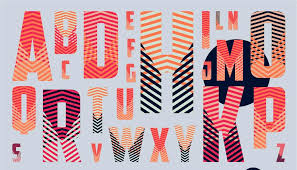
Typography is no longer just text—it’s the design itself. Oversized letters, experimental fonts, and kinetic typography dominate websites and posters.
👉 Impact: Immediate attention and strong brand personality.


4. Retro-Futurism

Think neon colors, glitch effects, and cyberpunk vibes. Retro-futurism blends nostalgia for early digital aesthetics with modern execution.
👉 Seen in: Music covers, gaming brands, tech startups.


5. Minimalism with Personality

Flat minimalism is evolving. In 2025, minimalism includes playful touches—like hand-drawn icons, textured backgrounds, or quirky color pops—to avoid looking sterile.


6. Inclusive & Accessible Design

Accessibility is no longer optional. Designers prioritize:

  • High-contrast color palettes.

  • Legible fonts.

  • Alt-text integration.

  • Universal symbols.

👉 Accessibility = good design + broader audience reach.


7. Eco-Inspired Visuals

With sustainability being a global focus, earthy tones, organic shapes, and recycled textures are trending. Many brands emphasize eco-conscious values through visual storytelling.


8. Motion Graphics Everywhere

Animated graphics, micro-interactions, and looping videos dominate digital platforms. Even logos are going dynamic with animated reveals.
👉 Benefit: Higher engagement and storytelling power.


9. Mixed Media Collages

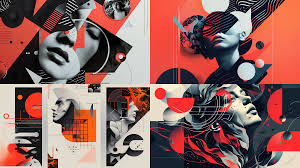
Designers are blending photography, hand-drawn elements, and digital graphics into surreal collages. This “DIY-meets-digital” style feels both raw and modern.


10. Personalized Branding

Brands in 2025 move away from one-size-fits-all visuals. Instead, they adopt adaptive design systems that change based on context, culture, or even user preferences.


Conclusion

The graphic design trends of 2025 show a world that’s bold, experimental, and human-centered. From AI and 3D to eco-design and accessibility, these trends prove that design is no longer just decoration—it’s a powerful tool for communication, inclusivity, and innovation.

The Fundamentals of Graphic Design Every Beginner Should Know

Graphic design is everywhere—logos, posters, websites, packaging, even social media posts. But behind every beautiful design lies a set of core principles. Whether you’re starting as a beginner or refreshing your basics, understanding these fundamentals is key to creating work that is both aesthetically pleasing and functional.


1. Balance

Balance ensures that elements in a design feel evenly distributed. It comes in two main forms:

  • Symmetrical balance – Equal weight on both sides (formal, traditional).

  • Asymmetrical balance – Unequal but visually harmonious (dynamic, modern).

👉 Good balance prevents designs from looking cluttered or chaotic.


2. Contrast

Contrast makes certain elements stand out. It can be achieved through differences in:

  • Color (light vs. dark)

  • Size (large vs. small)

  • Typeface (bold vs. thin)

  • Shape (organic vs. geometric)

👉 Without contrast, designs look flat and fail to grab attention.


3. Hierarchy

Hierarchy guides the viewer’s eye to the most important information first. Designers use:

  • Font size

  • Boldness

  • Placement

  • Color emphasis

👉 Example: A poster headline is large and bold, while details like date and location are smaller.


4. Alignment

Alignment creates order and connection between elements. Misaligned text or graphics can feel messy. Using a grid system helps maintain clean layouts.


5. Repetition

Repetition builds consistency. Using the same colors, fonts, or shapes throughout a project reinforces brand identity and creates visual harmony.


6. Proximity

Proximity means grouping related items together. For example, placing a product name, price, and description close to each other makes it easier to understand.


7. Color Theory Basics

Colors influence mood and perception.

  • Warm colors (red, orange, yellow) feel energetic.

  • Cool colors (blue, green, purple) feel calm.

  • Complementary colors create contrast.

  • Analogous colors feel harmonious.

👉 A strong grasp of color psychology makes designs more effective.


8. Typography Essentials

Fonts convey personality. Serif fonts feel traditional, sans-serif fonts modern, and script fonts elegant. Pairing fonts wisely improves readability and style.


9. White Space

Also known as negative space, white space is the empty area around design elements. Far from being wasted space, it gives designs breathing room and elegance.


10. Function Over Decoration

The most important rule: design isn’t just about looking pretty. Every element must serve a purpose—whether it’s improving readability, emphasizing a message, or guiding user behavior.


Conclusion

By mastering these graphic design fundamentals—balance, contrast, hierarchy, alignment, repetition, proximity, color, typography, and white space—you’ll create designs that are both beautiful and effective. These principles form the foundation for everything from logos to complex layouts, and they remain timeless no matter how trends evolve.