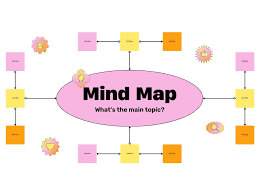

Design often begins with abstract ideas—concepts, moods, and inspirations that are not yet structured. Mind mapping helps turn these raw thoughts into organized visuals, making it easier to plan projects, brainstorm creatively, and communicate ideas. For designers, mind mapping tools are essential to capture creativity and connect ideas visually.
1. Why Designers Benefit from Mind Mapping
Visual Thinking – Organize complex ideas in a way that sparks creativity.
Brainstorming – Explore multiple design directions quickly.
Project Planning – Map out workflows from concept to delivery.
Collaboration – Share visual maps with teams and clients for clarity.
2. Best Mind Mapping Tools for Designers
MindMeister
Why: A leading online mind mapping tool.
Features: Real-time collaboration, templates, integrations with task tools.
Best for: Teams brainstorming together online.
XMind
Why: Powerful, professional-grade mind mapping.
Features: Multiple diagram styles, brainstorming mode, presentation features.
Best for: Designers who need advanced visual planning.
Miro
Why: More than a whiteboard, great for brainstorming visually.
Features: Sticky notes, diagrams, collaborative boards.
Best for: Remote design teams.
Coggle
Why: Simple, browser-based mind mapping.
Features: Colorful branches, unlimited diagrams (paid), easy sharing.
Best for: Freelancers or beginners who want lightweight mind maps.
Lucidchart
Why: Combines flowcharts, diagrams, and mind maps.
Features: Professional templates, integrations with Google Workspace.
Best for: Designers working on structured workflows.
3. How to Use Mind Maps in Design
Brainstorming Concepts – Start with a central theme and branch out ideas.
Organizing Inspiration – Collect references, color palettes, and typography ideas.
Mapping User Journeys – Visualize how users interact with a product.
Project Breakdown – Divide large projects into manageable parts.
4. Benefits of Mind Mapping Tools
Encourages creativity by showing relationships between ideas.
Simplifies complex concepts for team or client presentations.
Saves time during brainstorming sessions.
Helps designers see the “big picture” before diving into details.
Conclusion
Mind mapping is a powerful way for designers to capture, expand, and structure ideas visually. Tools like MindMeister, XMind, Miro, Coggle, and Lucidchart make brainstorming and project planning more engaging and efficient. By turning thoughts into clear visual maps, designers can unlock creativity and communicate their vision with clarity.