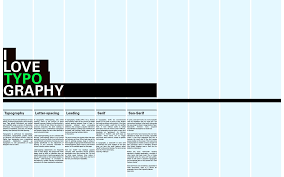

Grid systems are the invisible backbone of many successful designs. From magazines to websites, grids provide structure, balance, and consistency. While they may seem restrictive at first, grids actually give designers the freedom to experiment within an organized framework. Here’s how to use grid systems effectively in graphic design.
1. What Is a Grid System?
A grid is a series of intersecting lines (vertical and horizontal) that divide a layout into structured sections. Designers use grids to align text, images, and elements so everything feels balanced and intentional.
👉 Think of it as the skeleton of your design.
2. Why Grids Matter
Consistency – Keeps design elements uniform across pages and platforms.
Readability – Aligns text for easier reading.
Efficiency – Speeds up design decisions with a framework.
Flexibility – Allows experimentation while keeping order.
3. Common Types of Grids
Manuscript Grid – A single column, ideal for books or long text blocks.
Column Grid – Multiple columns, used in magazines and websites.
Modular Grid – Columns and rows, perfect for dashboards or complex layouts.
Hierarchical Grid – Irregular structure, guided by content rather than strict lines.
4. Setting Up a Grid
Margins – Define breathing space around content.
Columns – Divide space vertically for text and images.
Gutters – Spaces between columns that prevent crowding.
Baseline Grid – Aligns text across multiple columns for consistency.
5. Grids in Print Design
In magazines and newspapers, grids help organize dense information while maintaining readability. They also give designers flexibility to vary layouts without losing coherence.
6. Grids in Web & UI Design
Web designers rely on 12-column grids (Bootstrap standard) for responsive layouts. Grids ensure that websites look good on desktops, tablets, and mobile devices.
👉 Example: A 12-column grid allows a layout to shift from 4 columns on desktop to 1 column on mobile.
7. Breaking the Grid
Once you master grids, you can break them intentionally to create emphasis. For example:
Placing an image across multiple columns.
Allowing text to extend beyond margins for dramatic effect.
👉 Rule: Break grids with purpose, not by accident.
8. Tools for Grid Design
Adobe InDesign – Industry standard for print grids.
Figma / Sketch – Easy-to-apply grid overlays for UI design.
Canva – Simple grids for quick layouts.
9. Common Mistakes to Avoid
Overcomplicating grids with too many columns.
Ignoring gutters, leading to cramped layouts.
Misaligning elements and breaking the flow.
10. Grids + Creativity
Remember, grids don’t kill creativity—they enhance it. Think of them as the rules of rhythm in music: once you have structure, you can improvise freely without losing harmony.
Conclusion
Grid systems are essential tools for both print and digital design. By mastering grids, you’ll create layouts that are clean, consistent, and professional. And once you understand the rules, you’ll also know how—and when—to break them for maximum impact.