
Design is rarely a solo journey. Whether working with other designers, developers, or clients, collaboration is essential. Smooth communication and feedback loops can save time, prevent misunderstandings, and improve the final product. With the right tools, designers can share ideas, get feedback, and work together seamlessly.
1. Why Collaboration Tools Matter for Designers
Real-Time Feedback – Avoid endless email chains by commenting directly on designs.
Transparency – Keep everyone aligned on progress and changes.
Efficiency – Reduce miscommunication and duplicated work.
Client Involvement – Easy ways for clients to review and approve designs.
2. Best Collaboration Tools for Designers
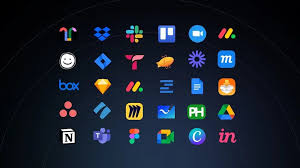
Figma
Why: Cloud-based design tool for real-time collaboration.
Features: Shared design files, live commenting, version history.
Best for: Teams and freelancers who want seamless design collaboration.
Miro
Why: A digital whiteboard for brainstorming and planning.
Features: Sticky notes, diagrams, mind maps, and templates.
Best for: Remote teams needing a creative workshop space.
Slack
Why: A central hub for team communication.
Features: Channels for projects, file sharing, integrations with Figma, Trello, and Google Drive.
Best for: Design teams who want quick, organized communication.
InVision
Why: Prototyping and feedback tool.
Features: Interactive prototypes, comment threads, design handoff.
Best for: Designers presenting clickable mockups to stakeholders.
Google Workspace (Docs, Sheets, Drive)
Why: Easy collaboration on documents and storage.
Features: Real-time editing, file sharing, cloud storage.
Best for: Teams who need a simple, universal collaboration suite.
3. Choosing the Right Tool
Design-Heavy Teams → Figma, InVision.
Brainstorming Sessions → Miro.
Communication & Updates → Slack.
Cross-Functional Teams → Google Workspace.
4. Tips for Better Collaboration
Set Clear Roles – Define who is responsible for what.
Centralize Communication – Avoid scattering updates across multiple channels.
Encourage Feedback Early – Catch issues before designs are finalized.
Use Version Control – Prevent overwriting each other’s work.
5. Benefits of Collaboration Tools
Faster approvals from clients.
Stronger alignment between designers and developers.
More creativity through collective brainstorming.
Less frustration and fewer miscommunications.
Conclusion
Great design doesn’t happen in isolation. Collaboration tools like Figma, Miro, Slack, InVision, and Google Workspace help designers work more efficiently and creatively with others. The right tool ensures smoother communication, faster iterations, and ultimately, better design outcomes.